
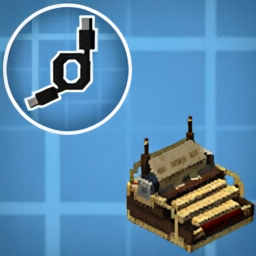
Drive By Wire — Typewriter
A NeoForge addon for Minecraft 1.21.1 that adds a keyboard-driven wire source to the Drive By Wire (Sable) network, using Create Aeronautics's typewriter mechanics.
What it does
Adds a Typewriter Hub block. Right-click it with an empty hand to start typing — your keypresses are broadcast as redstone signals on the Drive By Wire network, one channel per key. Right-click again to stop.
Blocks
| Block | Description |
|---|---|
| Typewriter Hub | A typewriter and multi-channel wire source in one block. |
Key channels
The hub exposes a channel for every key:
- Letters
A–Z - Digits
0–9 - Symbols: Space,
',,,-,.,/,;,=,[,],\ - Hungarian letters:
á,é,í,ó,ö,ő,ú,ü,ű(Channel shows when using a hungarian keyboard layout) - Control: Enter, Tab, Backspace, Delete, Caps Lock
- Navigation: Arrow keys, Page Up/Down, Home, End
- Modifiers: Shift, Ctrl, Alt, Super, Menu
Each channel is active (1) while the key is held and inactive (0) when released. Only one player can use a hub at a time; disconnecting or losing window focus resets all channels.
Requirements
| Mod | Version |
|---|---|
| NeoForge | 21.1.228+ |
| Simulated (Create: Simulated) | 1.1.3+ |
| Drive By Wire | 0.2.9+ |
| Create | 6.0.10+ |
Usage
- Place a Typewriter Hub in the world.
- Connect wire from it to whatever you want to control.
- Right-click the hub with an empty hand — your keypresses now drive the network.
- Right-click again to disconnect.
Select a wire channel
- Hold a wire and right-click a Typewriter Hub to select it as the source.
- Hold Left Alt for 0.3 seconds to open a semi-transparent keyboard overlay.
- Move the mouse over a key, then release Alt to select that wire channel.
- Right-click the destination to connect it using the selected channel.
Selecting a hub as the wire source shows a tip above the hotbar with your current quick-selection shortcut alongside the selected channel.
Rebind Select wire channel in Minecraft's Options → Controls → Key Binds.
Open Mods → Drive By Wire - Typewriter → Config and adjust
Channel selection hold time (ms) (default: 300; range: 0–5000; 0 opens immediately).
Save with Done; the new delay applies without restarting the game.
The overlay uses the active keyboard layout, including supported Hungarian characters.
The current channel is highlighted in green; the hovered key is highlighted in blue.
Release outside a key or press Escape to cancel. The overlay is available while wiring,
and does not open during hub typing. Mouse-wheel selection remains available.


About This Project
This project was developed with substantial assistance from Claude Code (Anthropic) and Codex (OpenAI). It was built iteratively on top of the official NeoForge mod project template (Mod Generator).
Beyond the initial template setup, the implementation, refactors, bug fixes, documentation, and validation were generated and refined through collaborative, human-directed development with these AI coding assistants.
License
This project is licensed under the MIT License