

Create:Parachute (1.1.4+)
A parachute mod for Create and Sable physics Build a parachute onto your vehicle, deploy it with a redstone pulse, and glide down safely.
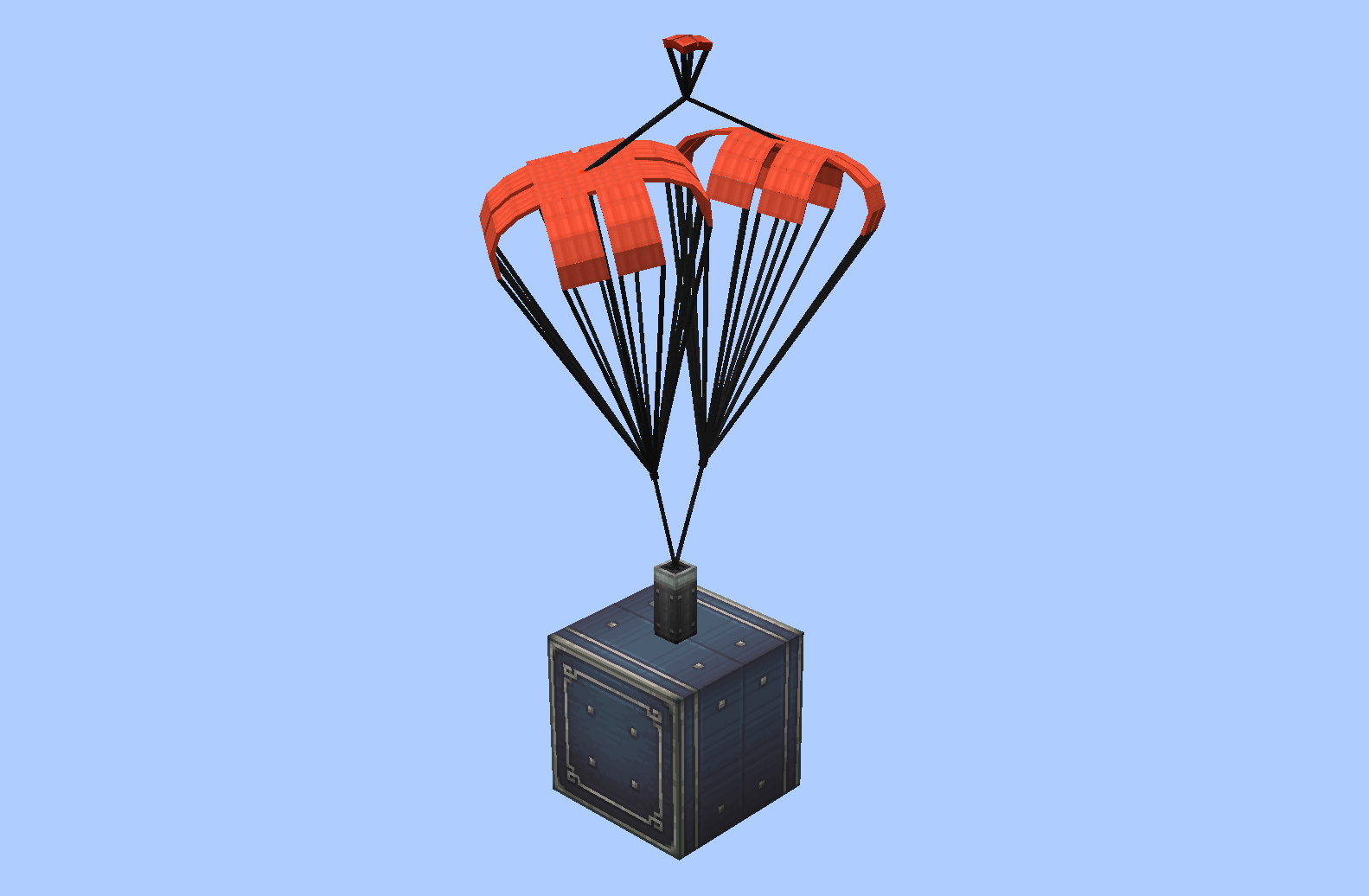
What did it do?
Drop a folder into <game root>/parachute/local/ and it shows up in the selection GUI instantly:
-
Blockbench project —
.bbmodel+.png. The parachute has to be a Java entity model (or a Bedrock edition model) in the Blockbench project. -
OBJ model —
.obj+.mtl+ the texture folder, straight out of Blenderparachute/local/<name>/<name>.obj<name>.mtltextures/*.png -
Both work in
parachute/server/as well. -
The built-in parachutes are placed in the
parachute/folder when the mod loads successfully. -
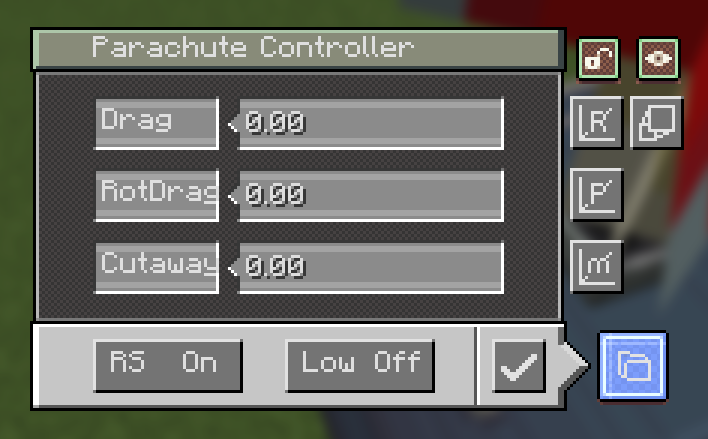
Controller GUI — right-click the block to open it:
- Drag — drag coefficient of the canopy (higher = slows you down faster)
- RotDrag — rotational damping (higher = spins stop faster)
- Cutaway — low-speed detach threshold in m/s; below this speed the chute auto-retracts when enabled
- Low — toggle low-speed auto-detach on/off
- RS — redstone behaviour: a pulse deploys the chute; with RS on, another pulse retracts it
- Save — apply the settings
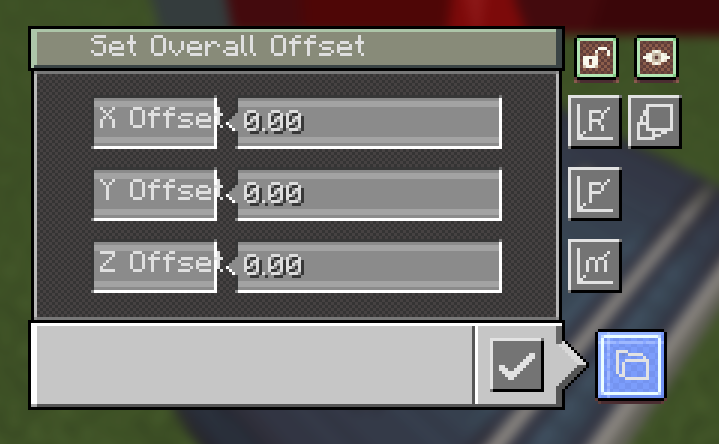
- M — Set model offset
- P — Set pivot offset (this setting adjusts the pivot relative to the model, but in fact the pivot itself doesn't move)
- R — Set rotation (rotation point at the pivot)
- Scale — opens the Render Scale screen: one field (0.05 – 20) that scales the whole model and canopy around the pivot
- lock — freeze the canopy's rotation, so it stops its idle sway/wobble
- pack — the red key hides/shows the pack block's own model
-
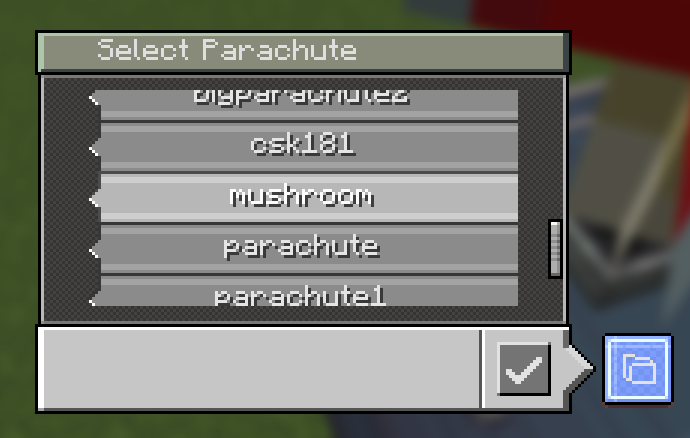
Parachute selection GUI — opened from the controller's folder button. One display box per parachute, scrollable list with a slider; click a box to select it and press confirm. The Open Folder button opens the game's
<game root>/parachute/local/. (The list also tags parachutes that only exist as your local fallback.)
Seat cushion & Synaxis Control Chair
Use the Create wrench on a parachute block to turn it into a seat cushion. Sitting on it works like a Create seat, and it keeps every parachute feature — model, canopy, dye and the controller GUI.
-
Sit — right-click the cushion with an empty hand.
-
Controller GUI — Shift + right-click with an empty hand.
-
Synaxis Control Chair — with Synaxis installed, the cushion doubles as a Synaxis Control Chair: the chair UI and its settings and the circuit-board peripherals all work from the cushion.
-
Blaze Rod + right-click — open the Control Chair settings UI.
-
Without Synaxis the cushion is simply a seat; everything else keeps working.
-
Dye support — right-click a placed parachute with any dye to recolor it; right-click with an axe to restore its original texture.
Parachutes on servers
- Your own parachutes and the ones you download are kept apart: yours live
in
parachute/local/, and every server gets its own folder,parachute/server/<save uuid>/. - Each world save has its own UUID (written into the save at
create_parachute/server-id.txt) and sends it to you when you log in, so changing a server's address or port never splits or mixes its folder. On the server side the library is still a plainparachute/<name>/. - While you are on someone else's server, that server's parachutes win over
same-named local ones; in single player, or while you host the world, your
local/folder is used. Same name = the server's copy overwrites yours. When a server's address changes, its library keeps living in the same world save's UUID folder, and the old address is kept inserver-info.txt. - If another player uses a parachute you don't have at all, it falls back to the default mushroom.
Downloads for every player, sent in batches
/parachute listand/parachute downloadno longer need OP — any player can browse the server library and pull parachutes.upload,distributeanddeletestill require OP.- Downloads are streamed a little at a time (a limited number of bytes per
tick, one file at a time) instead of being packed into one big zip, so a large
library still arrives over a slow connection, and you get a chat message when
it finishes. There is nothing to unzip: the files land directly in the right
parachute/server/<save uuid>/folder. - Server owners can turn it off or tune it in
config/create_parachute-common.toml:[download] allowPlayerDownload—trueby default[download] bytesPerTick— how much is sent to each player per tick,65536(64 KiB) by default; lower it on a weak server or a big library[download] maxPendingFiles— queue limit,512by default
How to use
- Place the parachute block — or hold the parachute pack and right-click first to pick which parachute it will place.
- Right-click it with an empty hand to open the controller and tune the parameters (Drag / RotDrag / Cutaway / Low / RS).
- Send a redstone pulse to deploy it; it will slow your fall (or your contraption) until you land or retract it.
- Wrench the block to turn it into a seat cushion and sit on it; with Synaxis installed, hold a Blaze Rod and right-click the cushion for the Control Chair UI.
- Recolor it with any dye, or revert it with an axe.
- Fine-tune how it looks: Scale for size, the lock key to stop the canopy swaying, and the pack key to hide the pack block itself.
- On a server, use
/parachute listto see what the server has and/parachute downloadto pull it into your own game.
Commands
| Command | What it does |
|---|---|
/parachute list [page] | List the parachutes in the server library (everyone) |
/parachute download [name] | Download one parachute, or all of them, into parachute/server/<save uuid>/ (everyone, if the server allows it) |
/parachute upload [name] | Send one, or all, of your local/ parachutes to the server (OP) |
/parachute distribute [player] | Send the whole server library to everyone, or to one player (OP) |
/parachute delete [name] | Delete one, or all, parachutes from the server, with click-to-confirm (OP) |
GUI terms
| Term | Meaning |
|---|---|
| Drag | Drag coefficient — higher = faster deceleration |
| RotDrag | Rotational damping — higher = spins stop faster |
| Cutaway | Speed threshold (m/s) for low-speed auto-detach |
| Low | Toggle low-speed auto-detach |
| RS | Redstone pulse behaviour (deploy / retract) |
| On/Off | Toggle state |
| Confirm | Apply the selected parachute |
| Scale | Render scale of the whole parachute (0.05 – 20) |
| lock | Hold the canopy still — stops its idle sway |
| pack | Show / hide the pack block model (canopy stays) |