
Create: Upgraded Portable Engines for Aeronautics
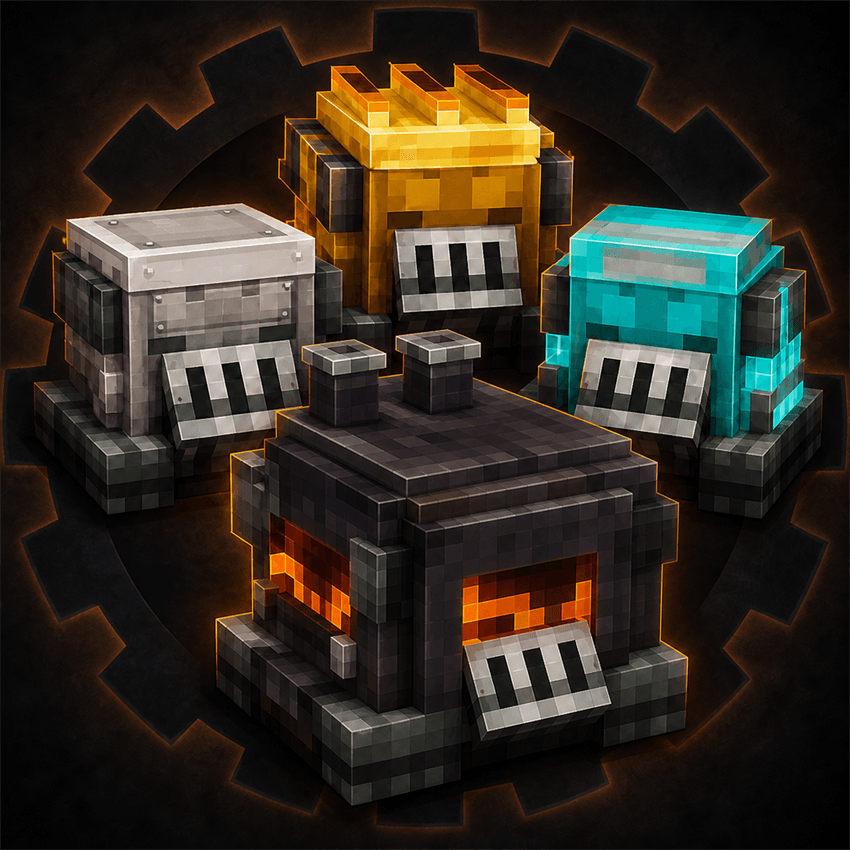
Create: Upgraded Portable Engines for Aeronautics is a NeoForge addon that adds four powerful and visually distinct Portable Engine upgrades to Create Aeronautics / Simulated.
Features
- Four new Portable Engine tiers: Iron, Gold, Diamond, and Netherite
- Higher rotational speed and stress capacity with each upgrade
- Unique block models and textures for every engine tier
- Upgrade recipes that use the previous-tier engine
- English and Japanese language support
- Full block, item, recipe, and loot-table support
Engine Performance
| Engine | Speed | Effective Stress Capacity |
|---|---|---|
| Standard Portable Engine | 32 RPM | 2,048 SU |
| Iron Portable Engine | 64 RPM | 8,192 SU |
| Gold Portable Engine | 96 RPM | 18,432 SU |
| Diamond Portable Engine | 128 RPM | 32,768 SU |
| Netherite Portable Engine | 256 RPM | 163,840 SU |
The Netherite Portable Engine is capped at 256 RPM to prevent Create's overspeed protection from destroying connected components.
When superheated with a Blaze Cake, the Netherite engine remains at 256 RPM and receives twice its normal stress capacity.
Crafting Recipes
Each Portable Engine is upgraded using the engine from the previous tier.
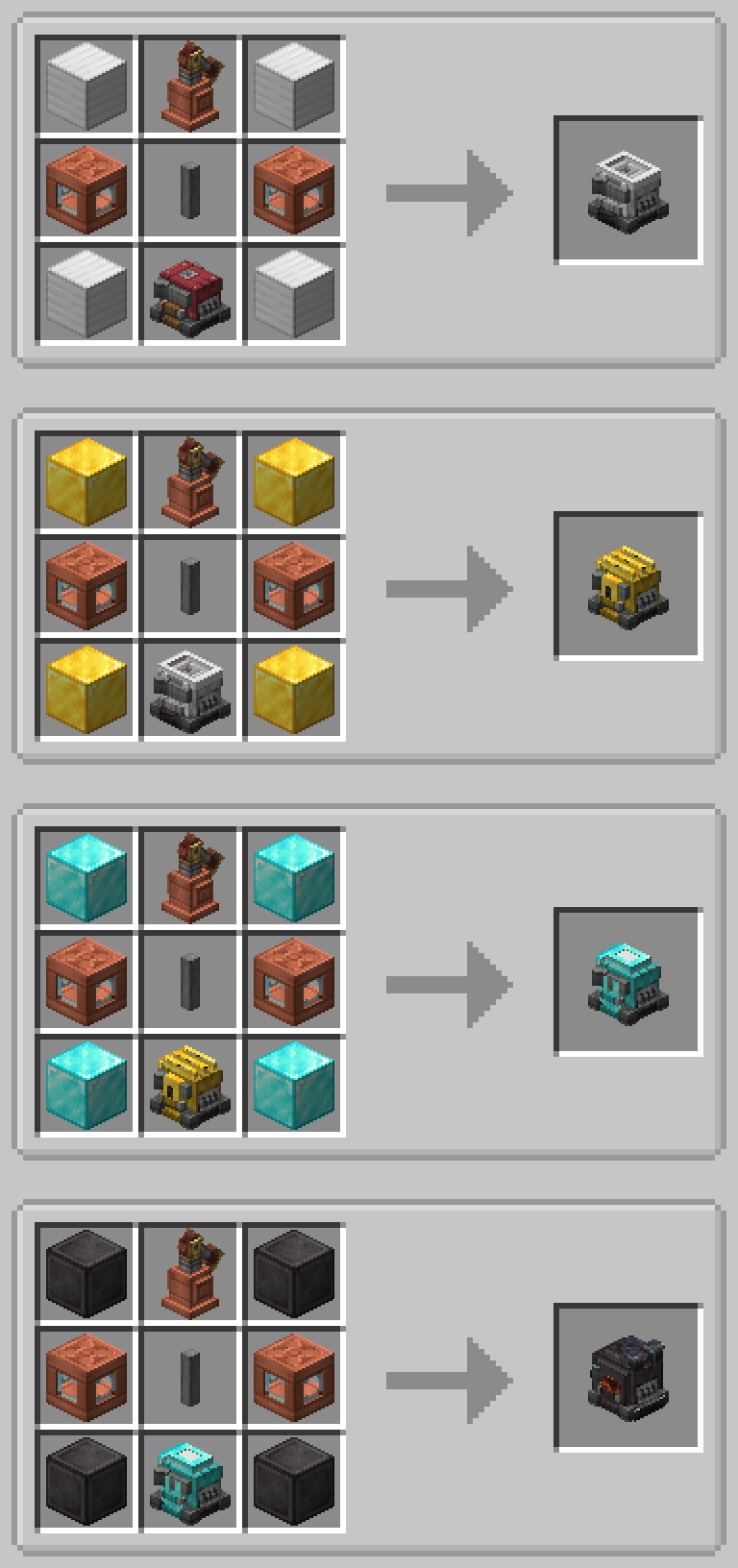
All four recipes use the same basic layout:
- A Create Steam Engine in the top-center slot
- Two Fluid Tanks in the middle-left and middle-right slots
- A Shaft in the center slot
- Four matching material blocks in the corners
- The previous-tier Portable Engine in the bottom-center slot
Upgrade Progression
- Iron Portable Engine: Standard Portable Engine + Iron Blocks
- Gold Portable Engine: Iron Portable Engine + Gold Blocks
- Diamond Portable Engine: Gold Portable Engine + Diamond Blocks
- Netherite Portable Engine: Diamond Portable Engine + Netherite Blocks
Recipes can also be viewed using JEI or another compatible recipe viewer.
Requirements
- Minecraft: 1.21.1
- NeoForge: 21.1.228 or newer
- Create: 6.0.10
- Sable: 2.x
- Create Aeronautics / Simulated: 1.3.x
Installation
-
Install NeoForge and all required dependencies.
-
Download the addon JAR.
-
Place the JAR in your Minecraft instance's mods folder.
-
Launch the game.
AI Development Disclosure
This entire project was created using AI under the direction of the project owner. All source code, game logic, block and item designs, models, textures, and promotional artwork were produced by AI. The project owner directed the development process and performed in-game testing.
This is an unofficial addon and is not affiliated with or endorsed by the developers of Create or Create Aeronautics.