
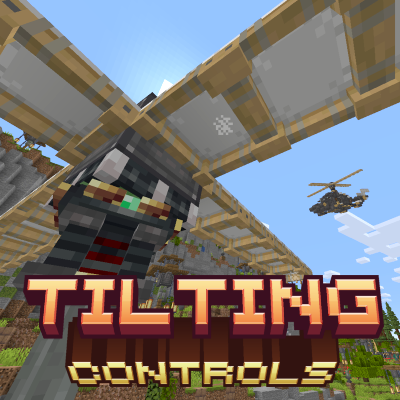
This mod adds compact solutions for otherwise bulky Create: Aeronautics setups
Current release (v0.8) adds:
- Tilting Propeller Bearing
- Tilting Swivel Bearing
- Gimbal Propeller Bearing
- Linked Joystick
- Bidirectional Throttle Lever
- Music Disc - Soar V2
For usage reference refer to the following (Will be migrated to a wiki if content gets large enough):
Tilting Propeller Bearing
This block is a Propeller that can be tilted towards any of the 4 cardinal directions by configuring a redstone frequency in it. Great for moving flying contraptions without requiring other kinds of horizontal thrust.
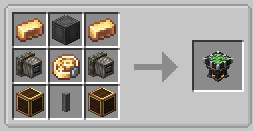
Tilting Propeller Bearing Crafting Recipe
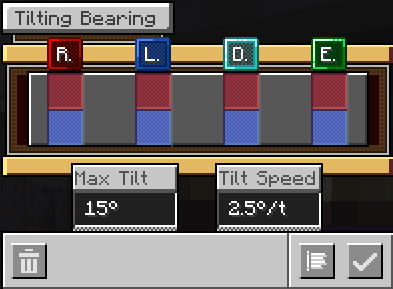
Frequency configuration is accesed by SHIFT+Right Clicking the Tilting Propeller Bearing. You can also modify the maximum tilting of the Tilting Propeller Bearing and the Tilting Speed.
Tilting Propeller Bearing GUI Frequency Config
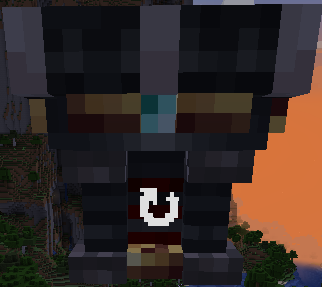
To determine in which direction a frequency will tilt the Tilting Propeller Bearing towards, inspect the block texture for the axi identifiers (Redstone, Lapis, Diamond, Emerald).
In this example, if we activate the Diamond frequency, the tilt will occur towards the camera
You can also configure some aspects of the Tilting Propeller Bearing via server mod configs.
Tilting Swivel Bearing
This block is a Swivel Bearing that can be tilted towards any of the 4 cardinal directions by configuring a redstone frequency in it.
Tilting Swivel Bearing Crafting Recipe
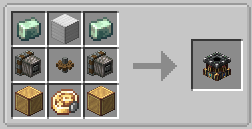
Frequency configuration is accesed by SHIFT+Right Clicking. Tilting direction is managed like the Tilting Propeller Bearing. Has 2 modes for different use cases: Fixed and Turret
Gimbal Propeller Bearing
An upgrade to the Tilting Propeller Bearing. Adds an integrated Gyroscope to level out your flying contraptions.
Gimbal Propeller Bearing Crafting Recipe
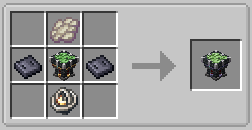
Configure it's Gyro Strength at your liking, heavier contraptions require more strength to level them out as stiffly as lighter ones.
You can also configure how much of the Gyro Strength is applied when the propeller is tilted (On-Tilt Gyro)
Gimbal Propeller Bearing GUI
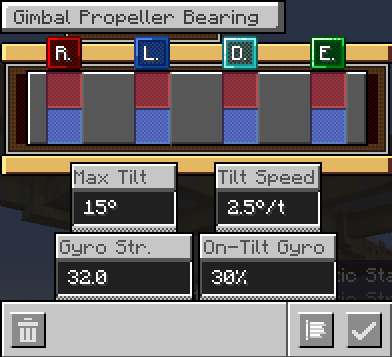
I've tried to give this gyroscope a unique feel, different from the gyroscopes in other mods (You still have to level out your Center of Mass!).
I've included quite a few server configurations so you can customize its behavior, but I've found that the default setting feels the most responsive and natural.
Linked Joystick
Right click to link. While linked press TAB (Configurable under Controls) to control the Joystick, there is also two additional inputs, by default W and S (Configurable too). If not pressing TAB, you can interact with other stuff just fine and keep being linked.
Linked Joystick Control Overlay
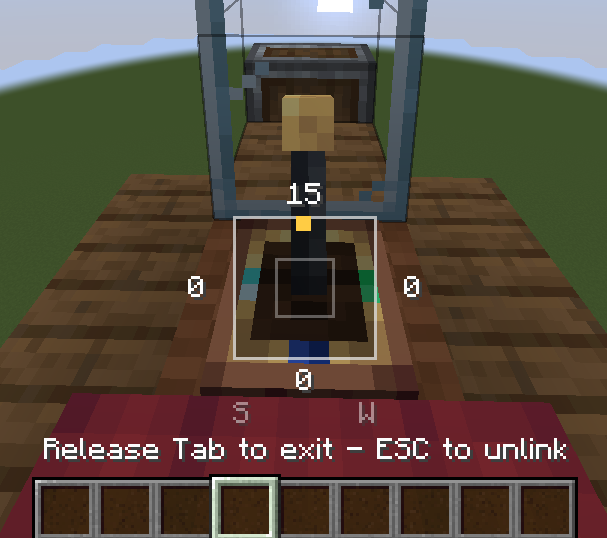
Don't get too far! You'll unlink if you do so. There is a Deadzone and Latch config too.
Bidirectional Throttle Lever
A Throttle Lever that can go in two directions. Outputs redstone depending on the side it is pulled into, it also has integrated links and a back to neutral function on its GUI.
Bidirectional Throttle Lever Usage
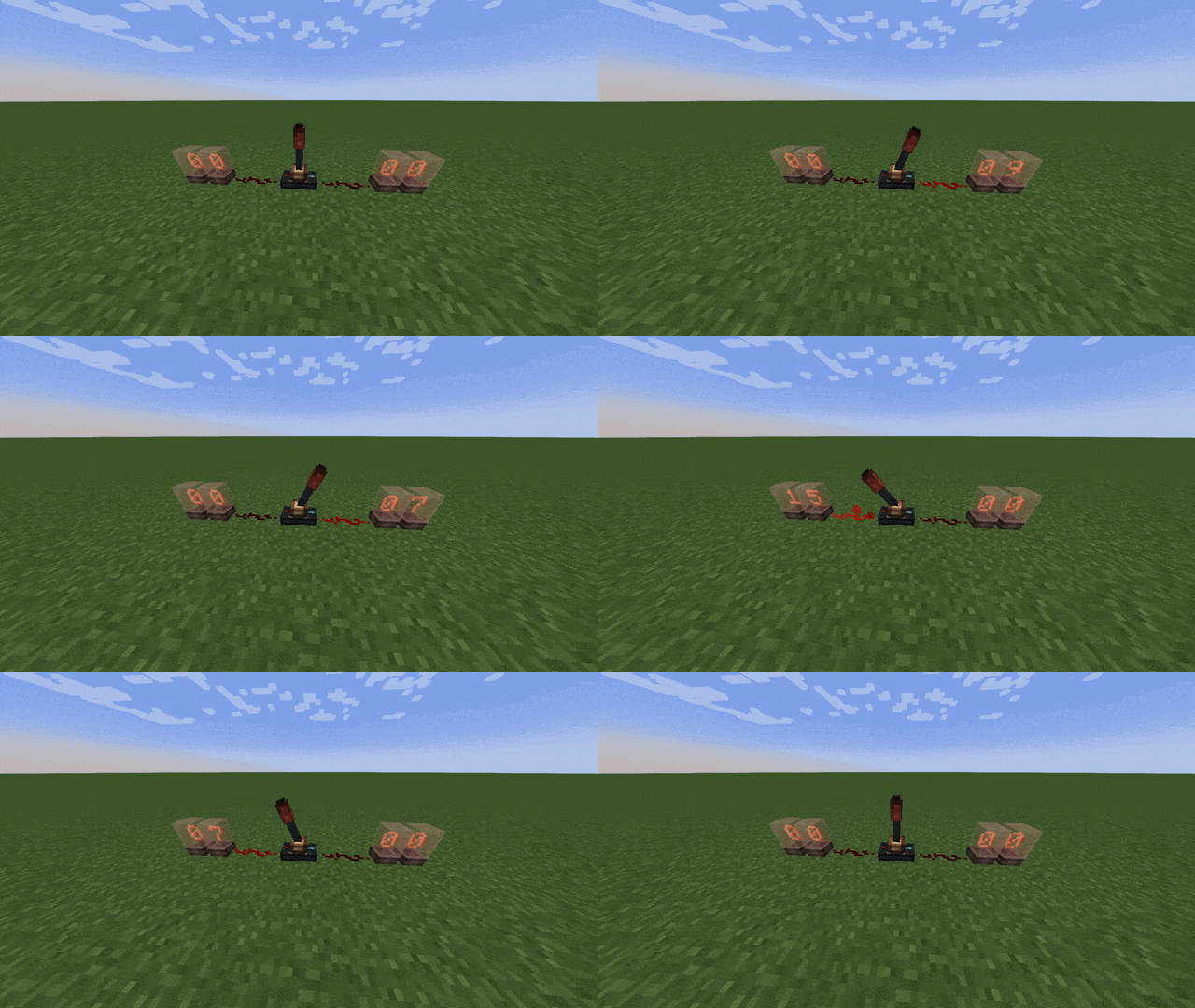
It also outputs the current redstone level to the block below, regardless of the pulled direction.
Misc.
- Music Disc - Soar V2
Special Thanks to the Create Propulsion: Simulated team for making their mod MIT. Helped me figure out some things along the way. A mod developed by BirdSys.